Copy building elements
It is possible to create a copy of an existing building element from the database as a basis for creation of private building elements, almost similar to the copied one.
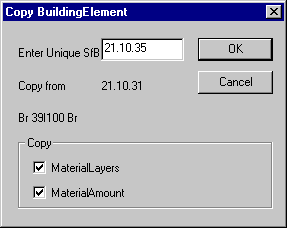
The dialog offers the possibility of giving a number to create a new unique SfB number. It is important to give a number which creates a new unique SfB number in the database.
At the bottom of the dialog it is possible to select what should occur in the copy of the building element. A tick-mark on MaterialLayers will include the individual material layers and their thickness, and a tick-mark at MaterialAmount will further include information on the material consumption for 1 m² of the construction (used in conjunction with eventual future life cycle analyses).
The rest of the fields in the dialog are information on the building element to be copied as its SfB-number (here: 21.10.31) and its name (here: Br 39I100 Br).
When the copy has been created it must be edited and a dialog offering this opportunity will open.
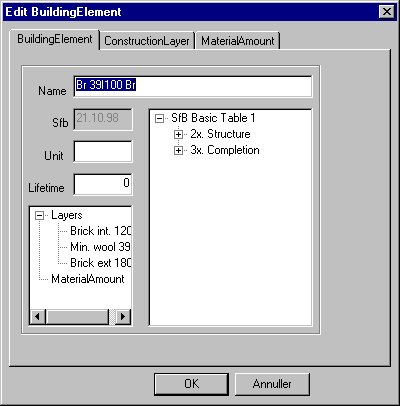
First of all the name of the new building element should be changed to reflect the new construction. Data on the tabs ConstructionLayer and MaterialAmount must be changed in a way that they match the new construction.
Unit gives the unit and Lifetime the expected lifetime for the new construction in relation to the material amount data given on the MaterialAmount tab.