SimView - Menu
The SimView menu is called up by clicking the right mouse button in one of the four windows showing graphical views of the model (on the right of the screen).
There are five options in the SimView menu that are not described under separate points:
- Arrange Views: Changes the geometric view to give all four windows the same height and width.
- Update Views: Forces an update of the geometric view. Used, for example, when new objects have been added and updating has not been done automatically, e.g. climate data for tsbi5 or systems in a thermal zone.
- Delete Current Object: Deletes the object currently selected (space, thermal zone, system, etc.).
- Clear Selected: Cancels the selection of objects.
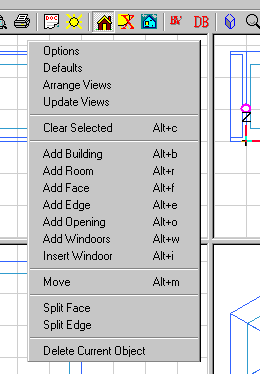
The individual menu options call up various dialog boxes that are discussed in greater detail when the individual items are described: