Setting up applications
It is possible to add favorite applications to the general toolbar of BSim through the menu entry Application | Setup, which opens the dialog shown below.
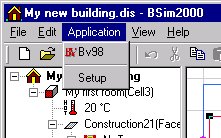
Programs defined in this way will be opened by clicking the new button at the toolbar. If a tick-mark is given next to the Use Current Model (bottom of the dialog) the program is called with the current BSim model as input data. For Be18 this means that the model is opened in this tool and the heating demand can be calculated. If for instance the Notepad is shown with this tick-mark, Notepad will open the BSim model as a text file and the model might be destroyed by unintended changes.
In the dialog the following buttons are shown:
Move Up moves the highlighted one position up in the list.
Add... opens a dialog to locate the desired new toolbar program in the path of the local PC.
Remove removes the highlighted application from the list.
Move Down moves the highlighted application one position down in the list.