SimView - Insert Windoor
A WinDoor or an opening can be inserted to fill out a surface from the center to "dt" from the edges using the function Insert WinDoor from the SimView menu. This function offers the opportunity of completely filling out a surface.
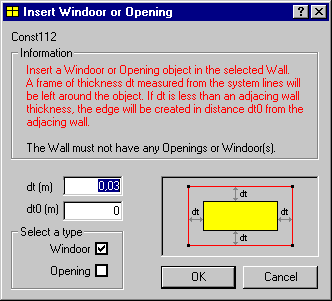
- dt is the distance (m) - uniform in all directions - from the edge of the surface till where the WinDoor or opening starts. The lower limit for dt is 5 cm. If a dt less than the thickness of the constructions is given, the WinDoor or opening will automatically fill out the area between the constructions.
- dt0 is the distance (m) from the surface of adjacent constructions to the new WinDoor.
See also: