About BSim
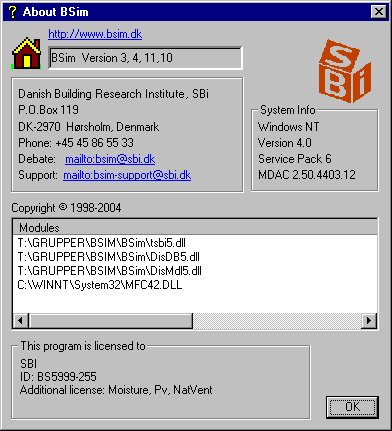
The dialog shows information dependent on the actual BSim installation.
At the top, right of the icon, the actual running version number of BSim is shown. The version number, here 3.2.8.2, refers directly to the date of creation and should be read as: BSim version 3, year 2002, August 2. It is possible to check if the latest version is installed by clicking Help | BSim on the Web ... | Check for new update ....
Under this you find a field with information about how to contact Danish Building Research Institute regarding BSim-matters.
At the right of the above described field, you find a System Info field. This field shows information on the operating system and the running version of MDAC. MDAC version 2.5 or more recent has to be installed to run BSim. From BSim version 3.2.8.2 the dialog below is shown at start-up if MDAC is not installed or too old.
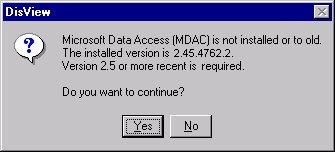
If you click Yes BSim will start, but not fully functional. MDAC is found at the BSim CD-ROM under Updates for Windows or at www.bsim.dk In English + Updates + Updates of the operating system.
In the full width of the dialog there is a list with the full path of all installed BSim modules. Right-clicking the modules will show the version number.