Daylight calculation on a plane
It is possible to calculate the incident daylight on a plane. Clicking Calculate illumination on plane will open a dialog box in which the coordinates for a corner of the calculation plane (origin of the plane) and the coordinates for its neighboring corners have to be entered. A right-handed system of coordinates must be used, i.e. the angle of rotation between the first and second directions of the calculation plane must be greater than 0° and less than 180°. The calculation grid spacing in the two directions of the plane must also be specified. The software is designed in such a way that the orientations of the calculation plane and the reference plane are independent of each other. The normal vector of the calculation plane is calculated on the basis of the principal directions selected, while that of the reference plane is selected in the main dialog box. This makes it possible, for example, to calculate the incident light on a number of horizontal reference planes at different heights at the same time.
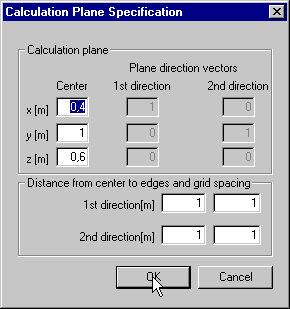
Once the plane coordinates (center and size in two directions) and grid spacing have been accepted by clicking the OK button (returns to main dialog box), clicking Calculate or one of the three levels of precision for calculation will start the calculation for the points on the calculation plane. Once calculation is complete, the Daylight graph button should be activated. Clicking the button opens a window in which light distribution curves are displayed together with a table containing the point-specific results of the calculation. It is possible to select results for direct daylight, externally/internally reflected light, the total incident light (all in lux) and the total daylight factor at the reference points (in %). The light distribution curves are plotted by means of linear interpolation, so visible tangential discontinuities at the boundary transitions may occur in calculations for widely spaced grids.
The results can be shown either as graphics or as tables, individually for the following daylight contributions, selected from the drop-down menu at the bottom of the dialog: Direct illumination, Externally reflected, Internally reflected, Total sunlight factor, Total daylight factor and Total illumination.
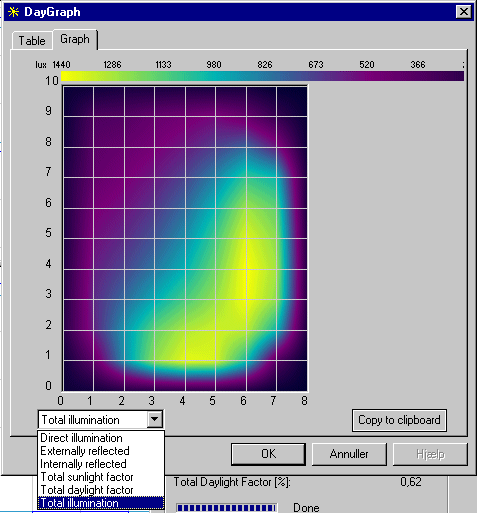
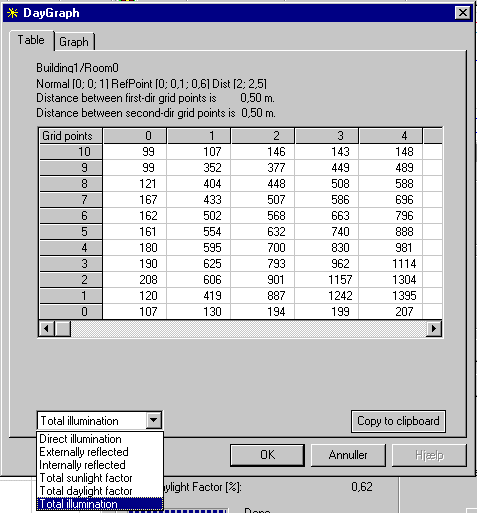
The Copy to clipboard button will pass a copy of either the graph or the table to the clipboard for insertion in another MS-Windows program.
Various assumptions are made for the calculations:
Only contributions from the doors/windows in the selected space are included.
The space must be convex (no account is taken of inverted corners).
External shadow sources are not included in the calculations. Only shadows from the sides of the wall hole and fins beside or above the window are included.
If the boundary faces are made up of constructions from the database, the window is assumed to be centered in the middle of the construction's plane.
All internal surfaces have a reflectance of 40%.
The outside terrain has a reflectance of 10%.
See also: