Help structure
Help is based on a design allowing direct access to the Danish Building Research Institute's website plus the BSim website.
At the top right of every help page the logo of Danish Building Research Institute and a button labeled BSim.dk are found. Clicking the logo will take the user to the main page of Danish Building Research Institute's website on the Internet. Clicking the BSim.dk button will take the user to the main page of BSim. From the main BSim page there is a direct link to an English version of the BSim pages and to the web page of the German distributor of BSim.

At the top of the help pages there is a toolbar, giving access to some functions. The label of some buttons depends on the current language version of the operating system.
Home opens a standard start page in the help file, holding information on terms of delivery and liability.
Print allows for printing parts of or the whole help text.
Setup opens a menu for defining how help should be shown.
Version check opens a file at Danish Building Research Institute homepage (does only work if you are connected to the Internet) in which the version number of the most recent help file for download from www.bsim.dk is given.
Headwords opens the list of headwords in help.
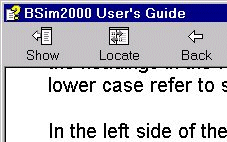
In the left side of the User's Guide, three tabs are found: Contents, Search and Favorites (may vary depending on the actual language version of MS-Windows on your PC). If none of these are shown, they can be revealed by pressing the Show button at the top left in the toolbar.
Contents shows an overview of the chapters of the User's Guide. It is possible to maneuver in the User's Guide by clicking the mouse in the tree.
Search offers the opportunity of free text search in the entire User's Guide. It is among others possible to search the name of any dialog (shown left on the title bar of the dialog, i.e. "BSim User's Guide"). Dialogs called by clicking buttons in other dialogs are named as: parent dialog name | dialog name.
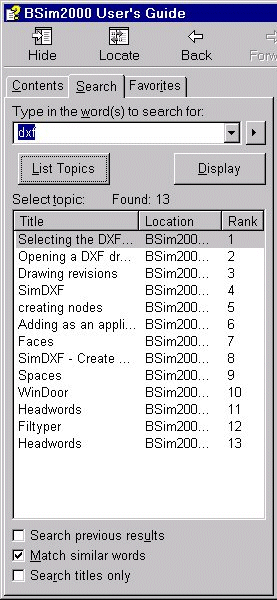
The search can be refined using the three options at the bottom of the search window.
- In Favorites it is possible to save links to pages often used.
Generally graphics are used as illustrations of different functions in the program in terms of screen dumps and drawings. Some of these graphic elements contain hot-spots, leading on to other help pages or somewhere else in the same page, where the topic is described in more detail. Graphics with hot-spots are marked with a thin blue frame. It is not possible to see in which parts of the graphic the hot-spots are, but when moving the cursor over the graphic, the shape of the cursor changes to a hand  when located over a hotspot.