SimDXF - Adding as an application
SimDXF can be added to the user interface in BSim using the Application | Setup menu option. This opens a dialog box that allows programs to be added to or removed from the toolbar in BSim and the order of the attached programs can be changed.
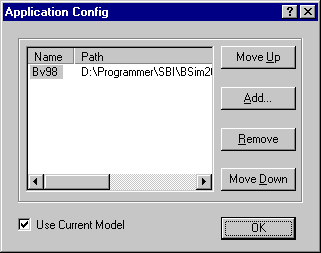
Use the Add button to add a program to the toolbar, the Remove button to remove a program and the Move up and Move Down buttons to change the order of the programs on the toolbar.
See also: